
Booksy Biz: For Businesses
Booksy International sp. z o.o.Beauty
4.73.10K Reviews
- Version
- 26.11.1200
- Installs
- 1.00M
- Age Rating
- Teen
Screenshots
Our Review of Booksy Biz: For Businesses
 Analysis by Appyee
I judge a booking app less by how many tools it claims to offer than by whether it makes a busy day easier to steer. Booksy Biz: For Businesses is aimed at beauty and wellness professionals who need to manage their work from a phone, rather than treat appointment admin as a separate office job. That focus makes it most appealing to people whose schedules and client conversations are central to their business.
Quick checks before you rely on it
Booksy Biz is a free business app from Booksy International sp. z o.o., with optional in-app purchases. It has a 4.6 average from around 28,000 ratings and more than a million installs. It is rated Teen, and version 25.12.1100 requires Android 8.0 or later. Those details help set expectations, but the more important question is whether its approach fits the way you take bookings and run your day.
I would see it as a stronger fit for a solo stylist, barber, or wellness practitioner than for someone who only needs a personal calendar. If you already spend time fitting clients into changing appointment slots, the point is to keep that work close to the schedule. If your business runs mostly on walk-ins or you prefer to handle every booking in person, a simpler calendar may be easier to maintain.
What a busy day feels like
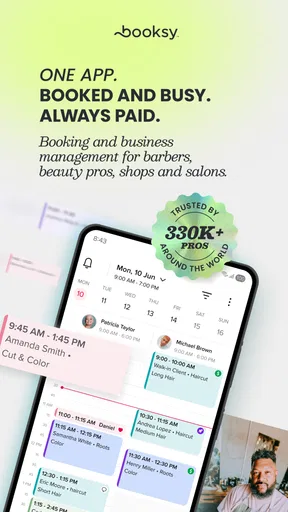
In a realistic workday, I can see the appeal of checking the appointment calendar between clients, then turning back to the person in the chair instead of stopping to answer every call. When someone asks to book, online booking can shift some of that coordination to the client. That is useful only if you keep the availability accurate; an online schedule that does not reflect your actual working hours can create more cleanup than convenience.
There is also a useful distinction between having client details and using them thoughtfully. Booking history and notes can help you pick up a conversation or remember a preference, but I would keep notes concise and practical. A quick reminder about a service preference is easier to use during a packed day than a long, unfocused record. For any business, it is worth deciding what information is genuinely helpful before making client notes part of your routine.
Speed, workload, and reliability
I would expect the app’s biggest speed advantage to come from reducing repeated admin, not from making every task instantaneous. One place for appointments and client context can save little bits of time across a day, especially when bookings change. How fast it feels in practice will still depend on the phone, connection, and the amount of work you are doing at once, so I would test the everyday booking flow on the device you plan to use rather than assume it will feel identical everywhere.
The heaviest moments are likely to be the transitions: reviewing the next client, checking a change, and updating the calendar while also serving someone. A sensible habit is to make schedule changes as soon as they are agreed, then take a moment to verify the day’s next appointments before opening the business. That is not a substitute for a backup plan, but it can reduce mistakes caused by relying on memory or switching between several informal booking channels.
For reliability, I would treat the phone calendar as an operational tool and keep a simple routine for checking that bookings are current. Any mobile app can be inconvenient when a device is low on battery or a connection is poor, so a business that cannot afford a scheduling interruption should decide in advance how it will handle urgent changes if the phone is unavailable. I would not make a new booking workflow the sole source of truth until I had tested it with real clients and a full working day.
Streamlining Your Business
The first thing I noticed about Booksy Biz: For Businesses is how it takes the chaos out of managing appointments. Forget about the old-school paper diaries or clunky software that makes your head spin. With Booksy Biz, you can handle bookings, manage your calendar, and even send reminders to your clients—all from your smartphone. It’s like having a personal assistant in your pocket, minus the salary.
Features that Stand Out
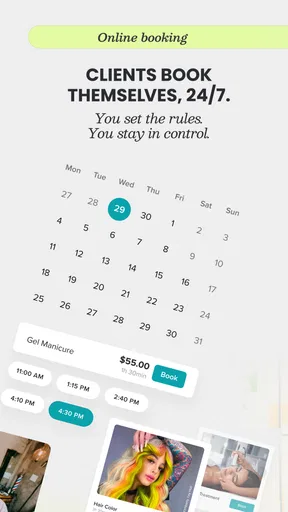
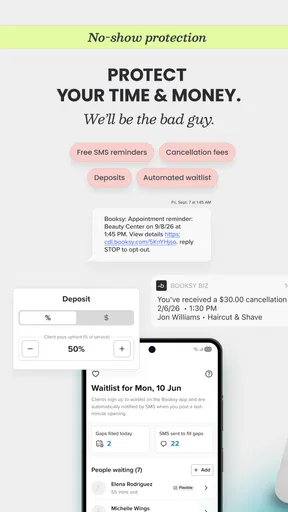
One of the standout features is the real-time calendar. The app syncs appointments instantly, so you’re always up to date. Plus, the online booking feature allows clients to book directly through the app, which means less time on the phone and more time doing what you love. And let’s not forget the automatic reminders—no more no-shows eating into your day!
Another cool aspect is the client management system. You can store client info, track their booking history, and even jot down personalized notes. It’s like having a mini-CRM tailored specifically for your business. Plus, it helps you remember who loves that extra head massage or who’s allergic to lavender oil.
Choosing the right booking habit
Compared with a paper diary, the main benefit I see is having less reliance on handwriting and manually scanning pages for a free slot. Compared with a general calendar, a business booking tool is more naturally centered on clients and appointments. But a notebook or basic calendar can still be a better choice if you rarely take bookings, need no client history, or want to avoid maintaining a separate business system. Switching is worthwhile only if the new routine is easier than the one you already use.
Before inviting clients to book online, I would map out working hours, breaks, and any time needed to prepare between services. That small setup decision matters: a calendar can be tidy while still leaving a day too tightly packed for real work. I would also check how a booking appears from the client’s point of view, then adjust the schedule if the available choices do not match how the business actually operates.
Promotions and business trade-offs
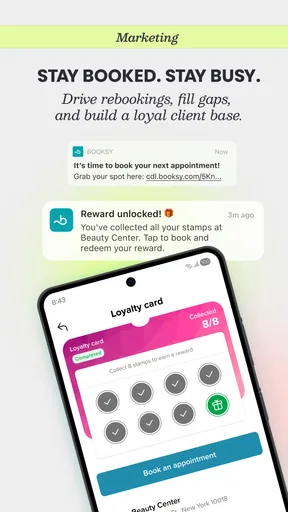
Now, let’s talk money. Booksy Biz isn’t just about keeping things organized; it’s also about making your business thrive. The app has built-in marketing tools that help you promote your services and attract new clients. You can offer special promotions, send out newsletters, and even share your latest Instagram-worthy creations—all from the app.
And the best part? You can track your sales and see what’s working and what’s not. It’s like having a savvy business mentor guiding you towards bigger profits.
I would use those tools with a clear purpose rather than send promotions simply because the option is there. For example, a quiet opening in the schedule might be a reason to promote a suitable service, while a fully booked week may call for focusing on existing appointments instead. Tracking sales can help you review patterns, but it cannot decide which service is right for your clients or guarantee that a promotion will pay off. I would compare the time spent preparing a campaign with the bookings it brings before making it a regular task.
Social sharing and daily usability
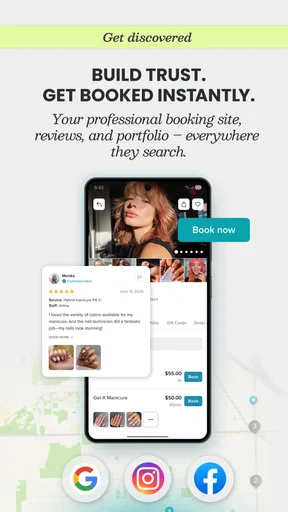
But wait, there’s more! Booksy Biz integrates seamlessly with other platforms like Instagram and Facebook. It’s super easy to share your availability and let clients book directly from your social media pages. Talk about convenience!
The user interface is slick and intuitive, so whether you’re a tech whiz or a total newbie, you’ll find your way around in no time. The app is available on both Android and iOS, so no one’s left out in the cold.
For a professional who already gets enquiries through social media, linking a booking path to that audience can reduce the back-and-forth of asking about times. I would still keep a clear boundary between posting work and managing the schedule: a social post can attract interest, but it is the booking details that need to stay current. Someone who dislikes handling client enquiries through digital channels may prefer a phone-first or in-person process, even if that means more manual coordination.
Who should choose it—and who should not
I think the strongest case for this app is a beauty or wellness business with repeat clients, several appointments to coordinate, and a real need to keep booking details close at hand. It is also a reasonable option for a professional who wants clients to arrange appointments without a call, provided that person is comfortable maintaining the online calendar and reviewing changes during the workday.
I would hesitate if you only book a handful of appointments, work entirely by walk-in, or already have a booking method that clients understand and that causes no regular friction. I would also think carefully before adopting it if you share scheduling duties with other people but have not agreed who is responsible for keeping availability and client notes current. A tool can centralize a process, but it cannot resolve unclear responsibilities on its own.
Device fit and practical expectations
On Android, the minimum requirement is version 8.0, and the app is also available for iOS. I would check the operating system on the phone that will actually be used at work, especially if it is an older spare device. A business phone may be opened repeatedly through the day, so battery condition, dependable access to the device, and a comfortable screen size can matter as much as the app itself. I would avoid making assumptions about resource use from the feature list alone and judge it during normal work.
The app is free to download, with in-app purchases listed from about $25 to $310 per item. I would review any purchase options in context before committing, and separate the cost of the app from the value of the workflow it supports. A paid option is easier to justify when it saves meaningful administrative effort or supports a real business need; it is harder to justify when a basic calendar already does the job.
My performance verdict
My overall impression is that Booksy Biz is most promising as a practical hub for appointment-led beauty and wellness work, rather than as a magic fix for every small-business challenge. Its potential speed comes from putting scheduling and client context into a mobile workflow, while its main reliability trade-off is that the calendar must be kept accurate and the phone must be available when the business needs it.
I would start by using it for a normal week, checking how well the booking flow matches real appointment lengths, breaks, and client habits. Keep a straightforward fallback for urgent schedule changes until the routine feels dependable, and resist adding marketing tasks just because they are available. That gradual approach makes it easier to judge whether the app is genuinely reducing friction or simply moving admin onto a screen.
In conclusion, if you’re looking to take your business to the next level, Booksy Biz: For Businesses is the way to go. It’s efficient, user-friendly, and packed with features that’ll save you time and help you make more money. Honestly, once you try it, you’ll wonder how you ever managed without it.
Privacy and Permissions
See what permissions an app requests and how it handles your data.
- Contacts
- read your contacts
- Location
- approximate location (network-based), precise location (GPS and network-based)
- Phone
- directly call phone numbers, read phone status and identity
- Photos/Media/Files
- read the contents of your USB storage, modify or delete the contents of your USB storage
- Storage
- read the contents of your USB storage, modify or delete the contents of your USB storage
- Camera
- take pictures and videos
- Wi-Fi connection information
- view Wi-Fi connections
- Device ID & call information
- read phone status and identity
- Other
- view network connections, pair with Bluetooth devices, access Bluetooth settings, expand/collapse status bar, full network access, change your audio settings, control Near Field Communication, run at startup, control vibration, prevent device from sleeping, read Google service configuration
Verdict
Strengths of Booksy Biz: For Businesses
- User-friendly interface for easy navigation.
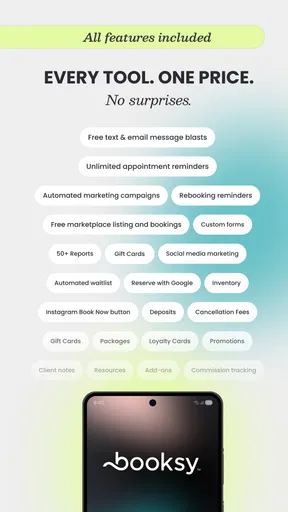
- Comprehensive scheduling features.
- Automated reminders to reduce no-shows.
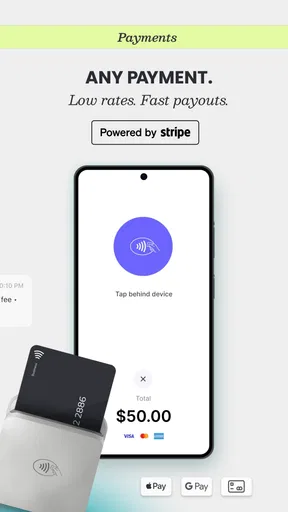
- Integrated payment processing for convenience.
- Customizable settings to fit business needs.
Limitations of Booksy Biz: For Businesses
- Limited offline functionality.
- Occasional sync issues reported.
- Some features require premium upgrade.
- Learning curve for new users.
- No multilingual support.
Other Releases by Booksy International sp. z o.o.
View All
Booksy for Customers
Beauty4.9
Similar Picks in This Category
View All
Beauty Makeup Editor & Camera
Photo & Video Editors - Instant Solution4.7

Perfect365: Face Makeup Editor
Perfect365, Inc.3.5

Mirror Plus - HD Mirror app
Digitalchemy, LLC4.8

Cute Lock Screen & Wallpapers
Prometheus Interactive LLC4.6

HD Camera for Android
One Music Player4.5

Phone Mirror app - True Mirror
Cards4.6
Frequently Asked Questions
What is Booksy Biz and how does it benefit my business?
Booksy Biz is a comprehensive appointment scheduling app designed for service providers like salons, barbershops, and wellness professionals. It helps streamline bookings, manage client relationships, and handle payments. By automating these tasks, it reduces administrative workload, enhances customer experience, and potentially increases client retention and revenue.
Is Booksy Biz user-friendly for both clients and businesses?
Yes, Booksy Biz is designed with an intuitive interface for both service providers and clients. Businesses can easily manage appointments, staff schedules, and client information, while clients can effortlessly book services, receive reminders, and make payments. The app's straightforward navigation ensures a smooth experience for all users.
How secure is the payment processing in Booksy Biz?
Booksy Biz employs robust security measures to ensure safe and reliable payment processing. It complies with industry standards and regulations, using encryption to protect transaction data. This ensures that both businesses and clients can confidently use the app without worrying about the safety of their financial information.
Can Booksy Biz be integrated with other tools and platforms?
Yes, Booksy Biz offers integration with various tools and platforms to enhance its functionality. It can sync with calendars, social media, and marketing platforms, enabling businesses to streamline operations and reach clients effectively. This flexibility makes it a versatile solution for managing appointments and promoting services.
What kind of support does Booksy Biz offer to its users?
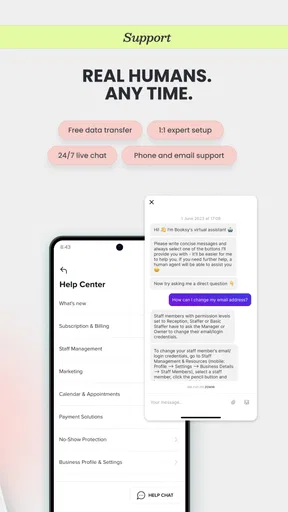
Booksy Biz provides comprehensive support to its users, including in-app help, tutorials, and customer support via phone or email. They also offer a knowledge base with articles and guides to troubleshoot common issues. This ensures that users can get assistance promptly and make the most of the app’s features.
